Times are changing
A lot has happened with InMyWords over the last few weeks.
Some changes are already making life easier for users, which means the app is becoming a more useful part of everyday work.
Conversation first
The basic idea is still the same. A member of staff can have a conversation with someone who speaks another language, using their own device while the other person uses their own phone or tablet.
Neither person needs to create an account. Messages can be typed or spoken, and translations take the conversation into account rather than treating every sentence on its own. Translations are checked as they go, and if something is unclear, the person can be asked to explain what they mean rather than having InMyWords guess.
Translated messages can also be read aloud, which can be helpful for someone who finds reading difficult or simply prefers to listen.
Talking heads
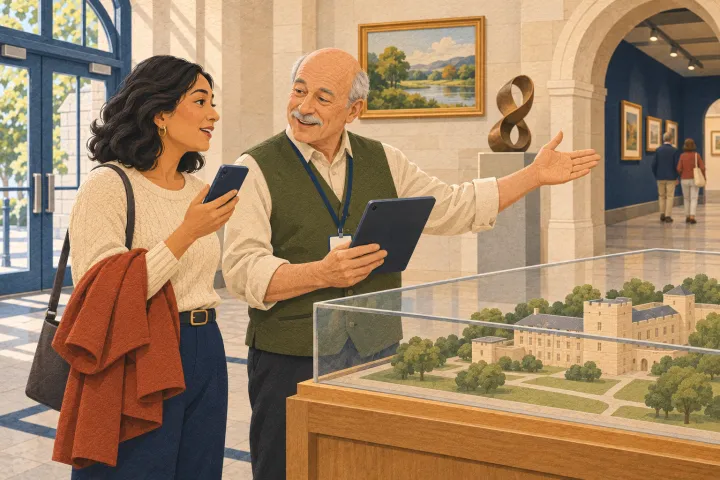
Video can now be offered in two-screen conversations where it has been switched on for an organisation. It is deliberately simple. Both people can see each other while the conversation continues as normal.
Seeing someone's face, expressions and gestures can make a conversation feel more natural and can sometimes help with understanding what someone means. Both people remain in control. Either person can pause their camera, and nobody is put on camera without agreeing.
If the connection is poor, the picture reduces or disappears while the conversation carries on. Recording is a separate feature and is not available yet.
More detailed languages
We have also added more information about the languages available in InMyWords.
That includes things like whether people use formal or informal language, which writing system they prefer and which version of a language the translation uses.
We have also added guidance for 84 more languages.
Regional differences are particularly important, for some languages. InMyWords now has additional guidance for forms such as Levantine, Iraqi and Sudanese Arabic, Afghan Dari, Southern and Central Vietnamese, Taiwan Mandarin and Western Armenian.
Organisations can also have their own list of languages. If someone needs a language that is not on the standard list, we can add it for that organisation to try without making it available to everyone else.
Less copying and pasting
One of the biggest changes is that InMyWords can now work alongside other systems an organisation already uses.

For example, a case management system can be connected to InMyWords so that conversations, summaries or other information can move between the two.
Documents and text can also be sent to InMyWords for translation.
Staff information can be kept up to date automatically too, so people do not have to be added and removed from two different systems.
The practical difference is simple: less typing things out twice.
Simplifying behind the scenes
Staff can now sign in using their existing work account, rather than needing another password just for InMyWords. Organisations can also ask everyone to use an extra security step when signing in.
For larger companies, this makes user management easier when people join or leave the organisation.
There is also an option to use an AI provider account for translation and summaries, where local policies or contracts require that. These optional arrangements exist because different organisations have different requirements.
Professional Checks
InMyWords is also becoming more useful for translated documents, which can now be sent to a suitably qualified colleague for review before use. That gives an organisation a way to put a professional check around a machine-translated document, where needed.
Dual Accessibility
We have always wanted InMyWords to be open to as many users as possible, which applies to the staff using it and the person they are helping.
People can speak rather than type, have translations read aloud and choose their microphone or camera. The other person's screen is designed to work on a phone or tablet, including when the phone is held sideways.
We are also working towards a WCAG 2.2 AA accessibility audit, including testing with disabled people using their own assistive technology. We will publish the results, including any areas that still need work.
More support for larger organisations
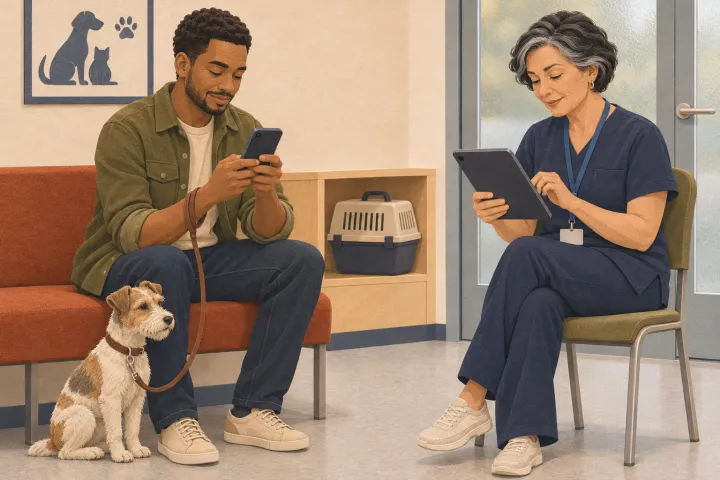
As InMyWords grows, so does the support available to organisations using it more widely.
With.InMyWords customers can have their own information and terminology built into the service, along with a dedicated account manager, training and 24/7 global support.
It is still the same InMyWords, there is simply more support available for organisations.
Website boosts
The website now has search, a proper news section and sleeker links when articles are shared. We have also published more of our policies, including information about security, safeguarding, AI use, complaints and data protection.
People can also book a demonstration rather than having to wait for someone to get back to them. That part is ready and is being switched on as the final arrangements are completed. The website should also be noticeably quicker, particularly on phones and slower connections.
Behind the scenes
A lot of improvements have been made behind the scenes, making life easier for users without rocking the boat.
The way we handle support, sales and accounts emails has been tweaked, making it more likely that messages will reach the right person. The sales system, website management and team monitoring capabilities have also been refined.
Current state of play

InMyWords can now do more around a conversation, work more closely with existing systems organisations and give users more choice over how it is managed.
There is now broader language support, more ways to communicate, greater scope for professional involvement and a stronger focus on accessibility.
But the purpose remains the same.
InMyWords helps people understand each other when they don't share a language. Everything else is there to make those conversations easier, safer and more useful.